-
Type:
Bug
-
Resolution: Fixed
-
Priority:
 Major - P3
-
Affects Version/s: 1.28.4
-
None
-
Environment:Edition Windows 10 Pro
Version 21H1
Installed at 16.09.2020
system build 19043.1237
Windows Feature Experience Pack 120.2212.3530.0
-
Not Needed
-
None
Problem Statement/Rationale
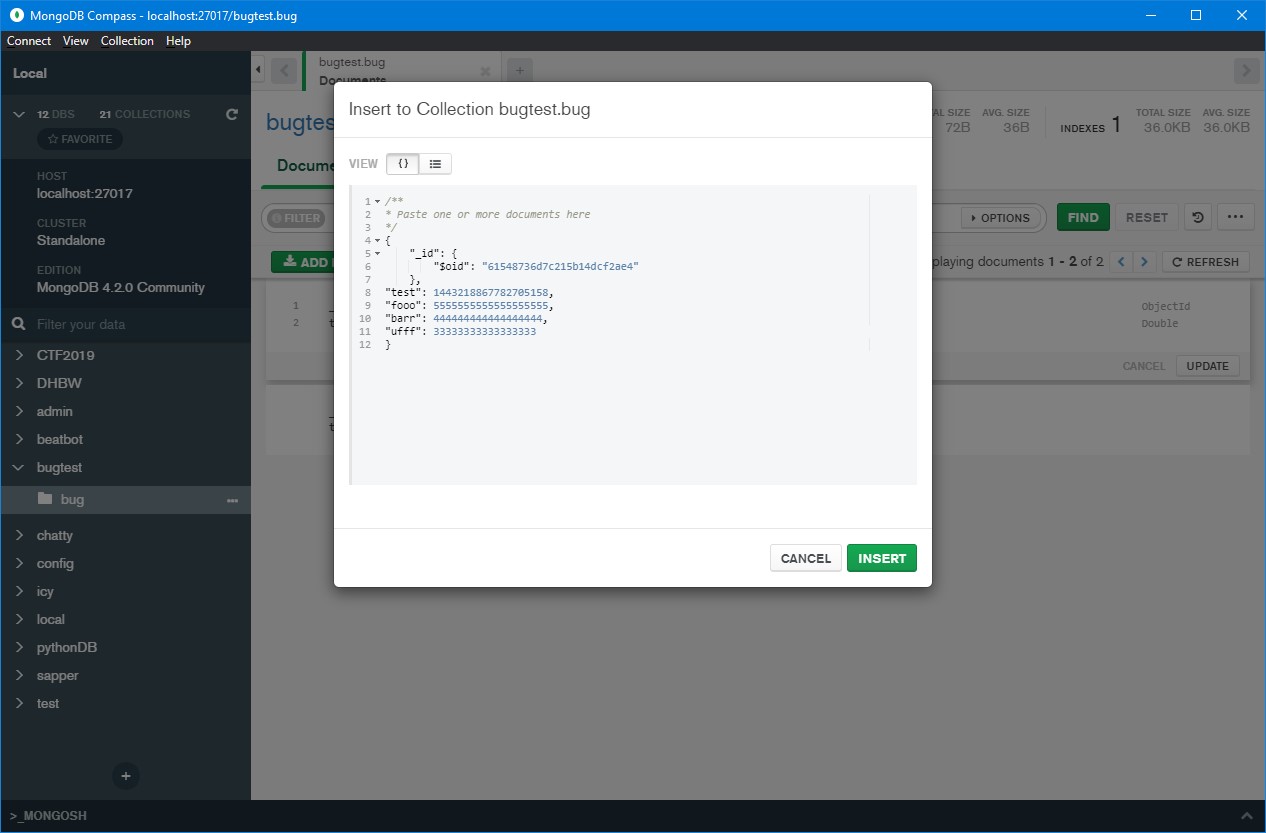
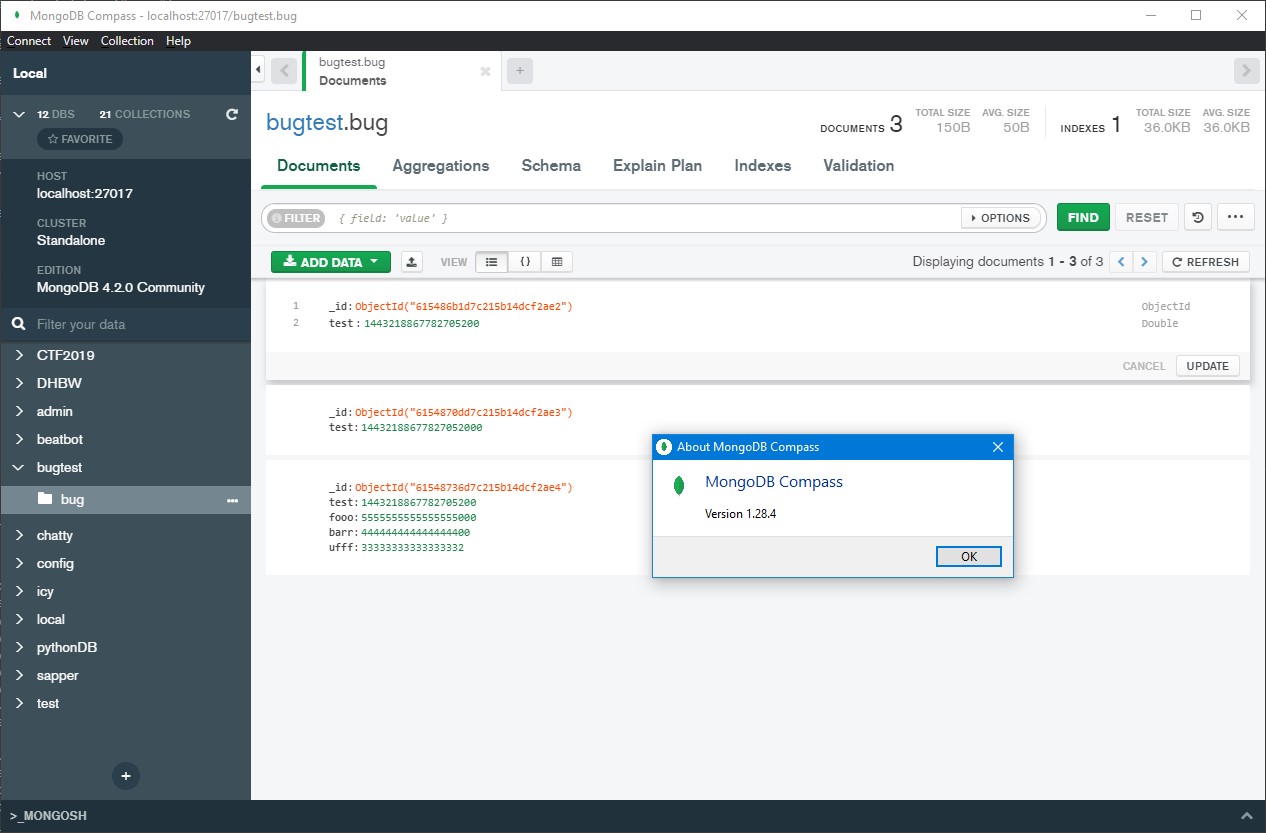
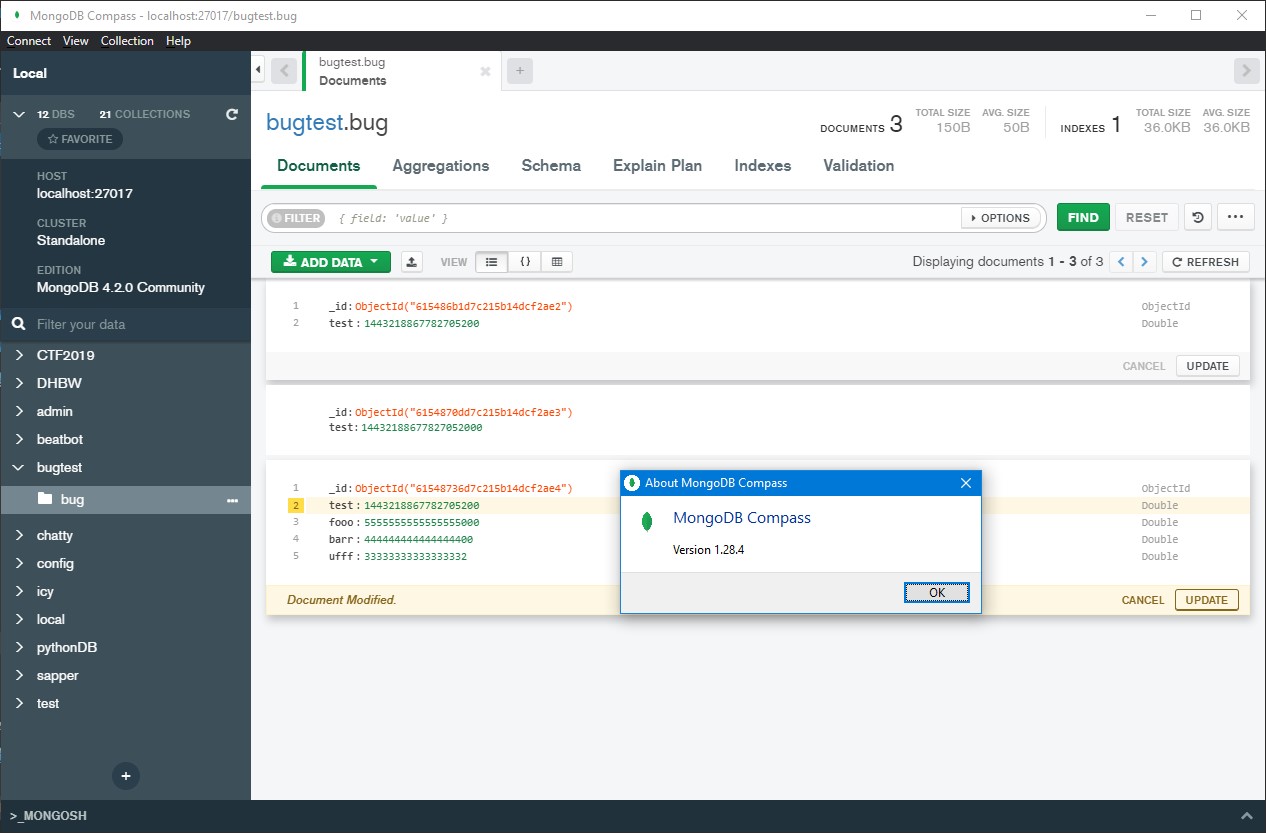
Compass changes big numbers (17+ digits) when inserting. When editing a created document, the specified type is a double.
Example:
1443218867782705158 → 1443218867782705200
Steps to Reproduce
- select ADD DATA
- select Insert Document
- Insert Document with a large int64 (1443218867782705158). Any key can be used
Expected Results
Compass should insert an Int64 with the exact value
Actual Results
Compass changes the last couple of digits
Additional Notes
I also have a collection where I cannot find a document with Compass by looking for an ID with such a value, but it is there, and I can find it with drivers.
Could not reproduce in any other collection.
- is depended on by
-
COMPASS-10923 Track when users apply Int64 Long() fixes in places
-
- Closed
-
- related to
-
-

- Closed
-
-
-
- Closed
-
-
-
- Closed
-
-
-
- Closed
-
-
COMPASS-8475 Provide guidance on how to filter documents with Int64 fields
-
- Backlog
-