-
Type:
Bug
-
Resolution: Incomplete
-
Priority:
 Major - P3
-
None
-
Affects Version/s: 4.0.8
-
Component/s: None
-
None
-
ALL
-
- install the latest 4.0.8 on both Windows and ubuntu
- try to use the Windows client mongo to connect to the ubuntu server.
-
None
-
None
-
None
-
None
-
None
-
None
-
None
I installed both the latest version of mongodb 4.0.8 on my Windows and two ubuntu servers. If I tried to connect from Windows to ubuntu, I got the following errors.
Unable to find source-code formatter for language: shell. Available languages are: actionscript, ada, applescript, bash, c, c#, c++, cpp, css, erlang, go, groovy, haskell, html, java, javascript, js, json, lua, none, nyan, objc, perl, php, python, r, rainbow, ruby, scala, sh, sql, swift, visualbasic, xml, yaml
C:\Users\Liu.D.H>mongo 113.55.14.114
MongoDB shell version v4.0.8
connecting to: mongodb://113.55.14.114:27017/test?gssapiServiceName=mongodb
Implicit session: session { "id" : UUID("b84061bf-e308-47f7-b59f-6c2940ba450d") }
2019-04-10T08:55:12.522+0800 E QUERY    [js] Error: error doing query: failed: network error while attempting to run command 'buildinfo' on host '113.55.14.114:27017'  :
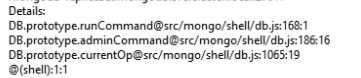
DB.prototype.runCommand@src/mongo/shell/db.js:168:1
DB.prototype.adminCommand@src/mongo/shell/db.js:186:16
DB.prototype.serverBuildInfo@src/mongo/shell/db.js:1275:16
DB.prototype.version@src/mongo/shell/db.js:1327:16
connect@src/mongo/shell/mongo.js:363:29
@(connect):2:6
2019-04-10T08:55:12.526+0800 I NETWORK  [js] trying reconnect to 113.55.14.114:27017 failed
2019-04-10T08:55:12.529+0800 I NETWORK  [js] reconnect 113.55.14.114:27017 ok
exception: connect failed

C:\Users\Liu.D.H>
I tried to check the logs on server. `journalctl -u mongod` showed nothing erros. `sudo tail -f /var/log/mongodb/mongod.log` showed the following related errors.
2019-04-09T20:55:09.170-0400 I NETWORK  [listener] connection accepted from 113.55.127.140:3455 #3014 (1 connection now open)
2019-04-09T20:55:09.171-0400 I NETWORK  [conn3014] received client metadata from 113.55.127.140:3455 conn3014: { application: { name: "MongoDB Shell" }, driver: { name: "MongoDB Internal Client", version: "4.0.8" }, os: { type: "Windows", name: "Microsoft Windows 10", architecture: "x86_64", version: "10.0 (build 17763)" } }
2019-04-09T20:55:09.176-0400 I NETWORK  [conn3014] end connection 113.55.127.140:3455 (0 connections now open)
2019-04-09T20:55:09.182-0400 I NETWORK  [listener] connection accepted from 113.55.127.140:3456 #3015 (1 connection now open)
2019-04-09T20:55:09.182-0400 I NETWORK  [conn3015] received client metadata from 113.55.127.140:3456 conn3015: { application: { name: "MongoDB Shell" }, driver: { name: "MongoDB Internal Client", version: "4.0.8" }, os: { type: "Windows", name: "Microsoft Windows 10", architecture: "x86_64", version: "10.0 (build 17763)" } }
2019-04-09T20:55:09.184-0400 I NETWORK  [conn3015] end connection 113.55.127.140:3456 (0 connections now open)
The config file of the server was the following.
Unable to find source-code formatter for language: shell. Available languages are: actionscript, ada, applescript, bash, c, c#, c++, cpp, css, erlang, go, groovy, haskell, html, java, javascript, js, json, lua, none, nyan, objc, perl, php, python, r, rainbow, ruby, scala, sh, sql, swift, visualbasic, xml, yaml
# mongod.conf

# for documentation of all options, see:
#   http://docs.mongodb.org/manual/reference/configuration-options/

# Where and how to store data.
storage:
  dbPath: /var/lib/mongodb
  journal:
    enabled: true
#  engine:
#  mmapv1:
#  wiredTiger:

# where to write logging data.
systemLog:
  destination: file
  logAppend: true
  path: /var/log/mongodb/mongod.log

# network interfaces
net:
  port: 27017
  bindIp: 0.0.0.0


# how the process runs
processManagement:
  timeZoneInfo: /usr/share/zoneinfo

security:
  authorization: enabled

#operationProfiling:

#replication:

#sharding:

## Enterprise-Only Options:

#auditLog:

#snmp:
I can confirm If I tried to connect between the two ubuntu or connect from ubuntu to Windows, it's worked as expected.
- is related to
-
SERVER-40583 Provide reason for why connections are closed
-
- Closed
-